In 261.63 Hz (2024)
Custom hardware, software, and musical design by Levy Lorenzo's Nstrument Lab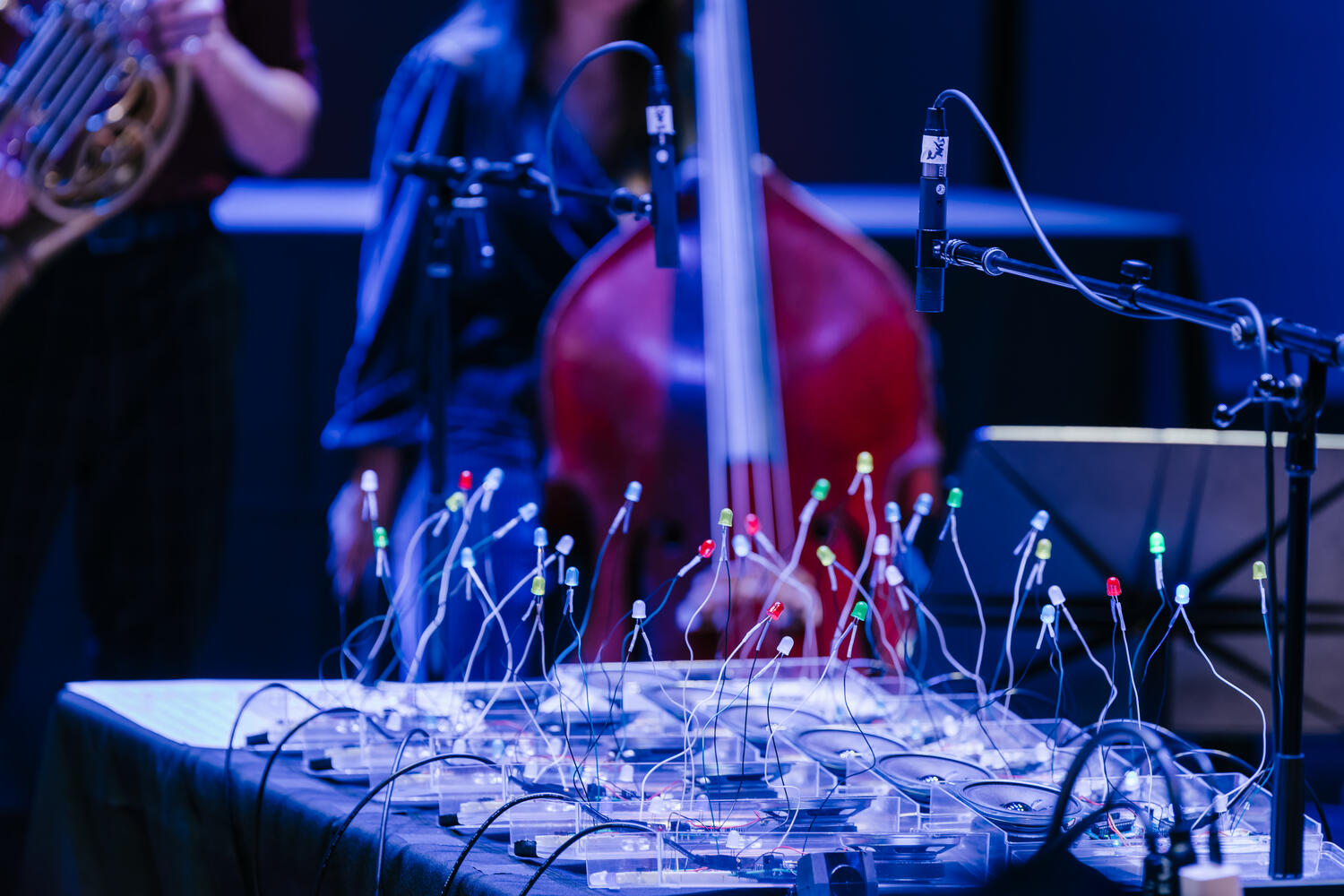
Fadi Kheir
Background
As an Ensemble Connect fellow, I had the opportunity to collaborate with percussionist and electronics performer Levy Lorenzo on a special project for an Up Close concert in May 2024. Given my background in computer science, Levy asked me to help write code for his custom musical bots: Arduino Uno microcontrollers connected to buttons, speakers, and LED lights. Levy designed a performance of Terry Riley's 1964 seminal composition In C to take place with a group of Ensemble Connect musicians playing alongside a choir of twelve bots. Our performance in Carnegie Hall's Weill Music Room was documented by the incredible team at Four/Ten Media.
Code Sample
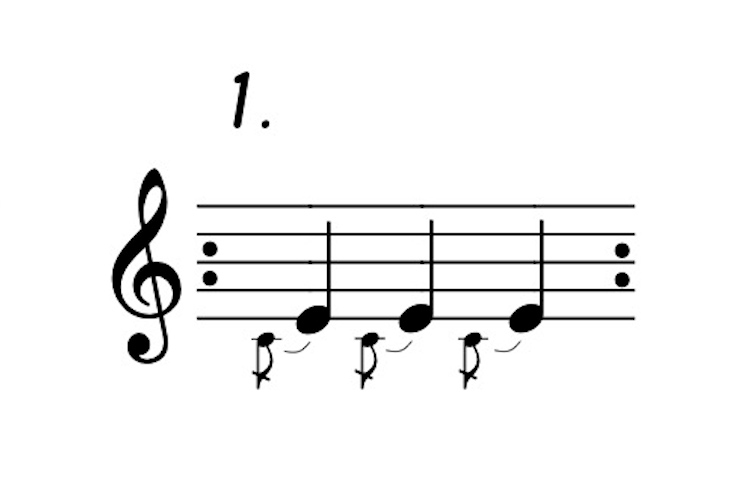
void One(){
    playNote(C4_note, THIRTY_SECOND, 1);
    playNote(E4_note, EIGHTH, 2);
    playRest(DOTTED_SIXTEENTH);
    playNote(C4_note, THIRTY_SECOND, 1);
    playNote(E4_note, EIGHTH, 2);
    playRest(DOTTED_SIXTEENTH);
    playNote(C4_note, THIRTY_SECOND, 1);
    playNote(E4_note, EIGHTH, 2);
    playRest(DOTTED_SIXTEENTH);
}
Additional Features
Buttons
The In C-bots could do more than just play the music! Levy contributed code that allowed for button control of the bot. By pressing different buttons, the user could play the current pattern or skip to the next pattern. There were also switches that allowed for jumping to different sections of the piece, a feature that made rehearsals much more efficient.
Lights
You'll notice in the code sample above that each call to playNote() has a third parameter that is just a number. This number was used to specify a particular configuration of the three LED lights. Each melodic pattern was accompanied by a unique light show, which meant that even without sound, it would have been possible to track a bot's performance of the piece.
Dynamics
One button was a dedicated mute and unmute toggle. Since we had twelve bots, it was possible to mute the bot choir, one at a time, to achieve a diminuendo in the electronic performance of the piece. Unmuting the bots, until all are once again playing, would achieve a crescendo. This feature was used sparingly in our performance; one example can be seen below.
To learn more about the code behind these bots, visit the GitHub repository.